Blog / 2025 Chevy Tech

Seamlessly Connect Your Smartphone with Your Chevy: A Guide to Android Auto™ and Apple CarPlay®

chevy screen 09 (24)
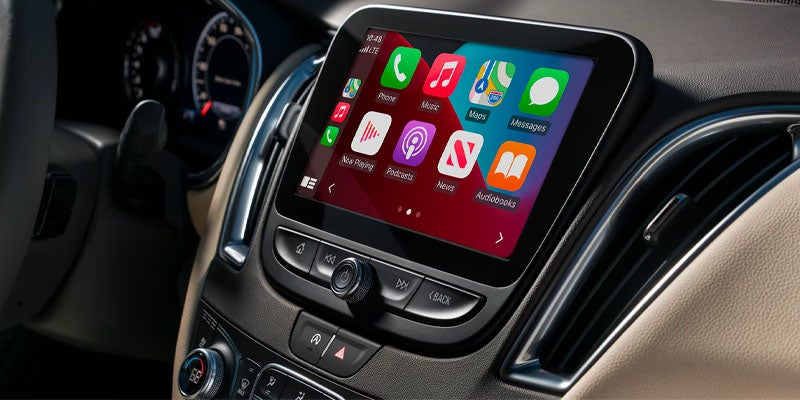
With the rise of advanced automotive technology, staying connected while on the road has become easier than ever. Thanks to features like Android Auto™ and Apple CarPlay®, you can seamlessly integrate your smartphone with your vehicle’s infotainment system, giving you access to calls, navigation, music, and more—all without taking your hands off the wheel. At Park Hills Chevrolet in Park Hills, MO, we’ve created this guide to help you connect Android Auto™ and Apple CarPlay® to your Chevy for a safer and smarter driving experience. Android Auto™ If your Chevy supports Android Auto™, you can access various features of your Android phone through your vehicle’s infotainment system, including:
  • Making and receiving calls
  • Using Google Maps™ for turn-by-turn navigation
  • Playing music from your favorite apps
  • Accessing hands-free help with Google Assistant™
How to Connect Android Auto™ via USB
  1. Park Your Vehicle: Ensure that your car is parked before you begin.
  2. Connect Your Phone: Use your phone’s USB cable to connect to the USB data port in your car. We recommend using the USB cable that came with your phone to avoid any connection issues.
  3. Install the App: If you haven’t already, download the Android Auto™ app from the Google Play Store. You may also need to update apps such as Google Maps.
  4. Launch Android Auto™: If the app doesn’t open automatically, tap the Android Auto™ icon or Projection icon on your vehicle’s touchscreen.
  5. Follow On-Screen Instructions: Accept the terms and conditions and follow the prompts on both the vehicle’s screen and your phone.
  6. Access Android Auto™: Once connected, your phone’s apps will appear on the infotainment screen.
How to Connect Android Auto™ Wirelessly
  1. Ensure Your Vehicle is Parked: Make sure your vehicle is parked before starting.
  2. Download Android Auto™: If you haven't done so, download the Android Auto™ app from the Google Play Store and update any necessary apps.
  3. Connect via Bluetooth®: Tap the Android Auto™ icon on your Chevy’s screen and pair your phone with the car using Bluetooth®.
  4. Accept the Connection: Follow the on-screen instructions on both your phone and the vehicle.
  5. Start Using Android Auto™: Once the connection is made, you can use Android Auto™ wirelessly.
Apple CarPlay® Apple CarPlay® allows you to integrate your iPhone with your Chevy’s infotainment system, enabling access to apps, calls, messages, navigation, and music—all with the help of Siri®. How to Connect Apple CarPlay® via USB
  1. Connect Your iPhone: Use a Lightning cable (USB-A or USB-C depending on your model) to connect your iPhone to your car’s USB data port.
  2. Unlock Your iPhone: Make sure your iPhone is unlocked before connecting.
  3. Enable Apple CarPlay®: A prompt will appear to enable Apple CarPlay®. Follow the on-screen instructions to proceed.
  4. Launch Apple CarPlay®: If it doesn't automatically open, press the Apple CarPlay® icon on the screen.
  5. Access Your Apps: After activation, the compatible apps from your iPhone will be displayed on your vehicle’s screen.
How to Connect Apple CarPlay® Wirelessly
  1. Pair via Bluetooth®: In your car’s infotainment system, connect your iPhone to Bluetooth®.
  2. Start the Wireless Connection: Follow the prompts on both your iPhone and the vehicle’s screen to begin the wireless connection process.
  3. Accept the Terms: Agree to the Terms of Use if prompted.
  4. Note: Wireless Apple CarPlay® is available on select vehicles and iPhones. If you’ve previously connected your iPhone via Lightning cable, you can enable wireless CarPlay® for future use.
Exiting Apple CarPlay® To exit Apple CarPlay®, simply press the “Home” button. To return to Apple CarPlay®, press and hold the “Home” button or tap the Apple CarPlay® icon on your screen. Troubleshooting and Assistance If you encounter any issues connecting Android Auto™ or Apple CarPlay®, or need assistance with any other tech features, our team at Park Hills Chevrolet is here to help. Book a service appointment with us, and we’ll guide you through any troubleshooting steps and answer any questions you may have. Explore Chevy’s Technology at Park Hills Chevrolet Looking for a new car, SUV, or truck with the latest in connectivity features? Visit Park Hills Chevy in Park Hills, MO. Our showroom offers a wide selection of vehicles equipped with Android Auto™ and Apple CarPlay®, along with user-friendly infotainment systems. Our team is ready to show you the latest Chevy technology, answer your questions, and help you find the perfect vehicle. Stop by today for a test drive and experience the future of driving with us.  

Posted in:

Related Posts

2025 3500 11 (8)

The 2025 Chevy Silverado 3500 HD: Power for the Toughest Jobs

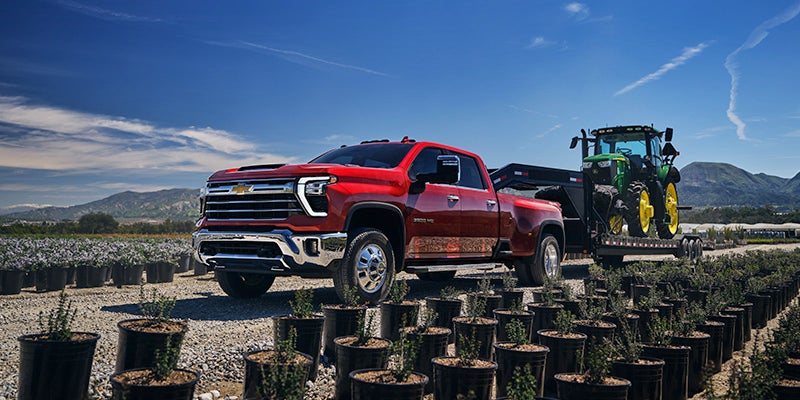
Where can you find a heavy-duty pickup truck that's ready to handle the day ahead? Look no further than the 2025 Chevy Silverado 3500 HD, a powerful pickup with intense towing capabilities and exciting tech features. The 2025 Chevy Silverado 3500 HD: Powerful Enough for Your Hardest Jobs Engine Options If you're looking for powerful performance that's strong enough to take on any job, the Chevy Silverado 3500 will not disappoint. This truck runs on a 6.6L V8 gas engine that delivers 401 HP at 5200 rpm and 464 lb.-ft. of torque at 4000 rpm. For even more power, you can upgrade to the available 6.6L Duramax Turbo-Diesel engine. This engine delivers 470 HP at 2800 rpm and 975 lb.-ft. of torque at 1600 rpm, along with a maximum towing capacity of 36,000 pounds. Exterior Features Chevy's Silverado lineup is known for innovative exterior features that make all of your projects easier to complete, such as the cab-mounted cargo area lights. The CornerStep rear bumper provides textured foot pads to prevent you from slipping when climbing into the cargo box, while the high-strength steel Durabed hauls any kind of cargo without sustaining damage. Seating Configuration There's seating for up to six people inside the Silverado 3500, which has two bench seats. Your front bench is a 40/20/40 split that comes with an under-seat storage compartment for tools and other essential items. The rear bench is a 60/40 split that can be reconfigured if you need even more cargo room inside the truck. Connectivity Options The new Chevy Silverado 3500 has a 7-inch Chevrolet Infotainment 3 system for all of your connectivity needs. Android Auto and Apple CarPlay are wireless smartphone integration needs that connect your phone to the truck through Bluetooth technology. You can then use voice command pass-through to make hands-free phone calls or send text messages when you're driving. Safety Functions The Silverado comes with a StabiliTrak stability control system that includes Proactive Roll Avoidance, Traction Control, and Hill Start Assist to keep your truck stable and on its intended path. Assistive functions like Front Pedestrian Braking, Automatic Emergency Braking, and Lane Departure Warning monitor your surroundings to tackle common causes of accidents. Other safety features in the 3500 include Rear Seat Reminder, Teen Driver, and OnStar Basics. Experience the Chevrolet Silverado 3500's power at our dealership. Stop by Park Hills Chevrolet in Park Hills, MO, and take it for a spin today!

2025 Colorado 02 (58)

The 2025 Chevy Colorado: Ready for Work and Play

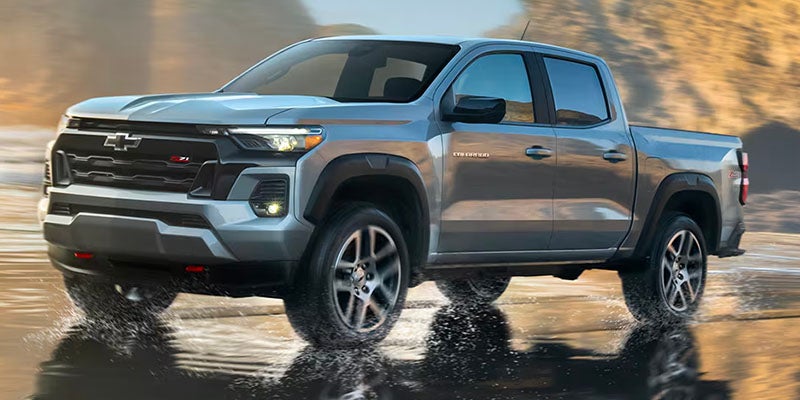
Take on every adventure with ease in the new 2025 Chevy Colorado! The Colorado brings extreme power to the road, along with high-tech features and advanced safety functions. The 2025 Chevy Colorado: Ready for Work and Play Performance The Chevrolet Colorado achieves an impressive 310 horsepower at 5600 rpm and 430 lb.-ft. of torque at 3000 rpm with its powerful TurboMax engine. The TurboMax engine works alongside an 8-speed automatic transmission that's electronically controlled with overdrive. The transmission's powertrain grade braking slows your truck when driving downhill to reduce brake wear and improve vehicle control. Exterior The Chevy Colorado is a mid-size pickup with 17-inch ultra-silver metallic steel wheels, halogen headlamps, and deep-tinted rear glass windows. The 2025 model comes in colors you're sure to love, like Harvest Bronze Metallic and Sterling Gray Metallic. The remote-locking tailgate can be locked and unlocked using your key fob, while the heated mirrors prevent ice from blocking your view. The new Chevy Colorado also has a CornerStep rear bumper, helping you climb into the cargo box without slipping. The cab-mounted cargo lamps make it easier to load and unload cargo in the dark, while the solar-absorbing windshield absorbs the sun's solar rays to keep your cabin cooler. Seating The Chevrolet Colorado has seating for up to five passengers, with a 6-way manual driver's seat that includes forward, back, up, down, and recline positioning. The back seat is a 60/40 split bench that has a manual release, letting you fold up one or both seat bottoms to accommodate cargo on the floor. Technology Google built-in, wireless smartphone integration, and SiriusXM radio are all included in the new Chevy Colorado. Use your 11.3-inch advanced color LCD display to navigate these features and more, making all of your rides more convenient and entertaining. Google built-in includes Maps, Assistant, and Play, while wireless smartphone integration allows you to sync your phone to the truck through Apple CarPlay and Android Auto. Safety There are two exclusive safety packages in the new Chevy Colorado: Safety Package and Chevy Safety Assist. The Chevrolet Safety Package includes Rear Cross Traffic Braking, Blind Zone Steering Assist, and Rear Park Assist. Chevy Safety Assist includes Automatic Emergency Braking, Front Pedestrian and Bicyclist Braking, IntelliBeam, Following Distance Indicator, and several other assistive functions. Get a closer look at the new Chevy Colorado today! Call Park Hills Chevrolet in Park Hills, MO, to find out more.

2025 traverese 02 (54)

Introducing the 2025 Chevy Traverse: Space for Every Journey

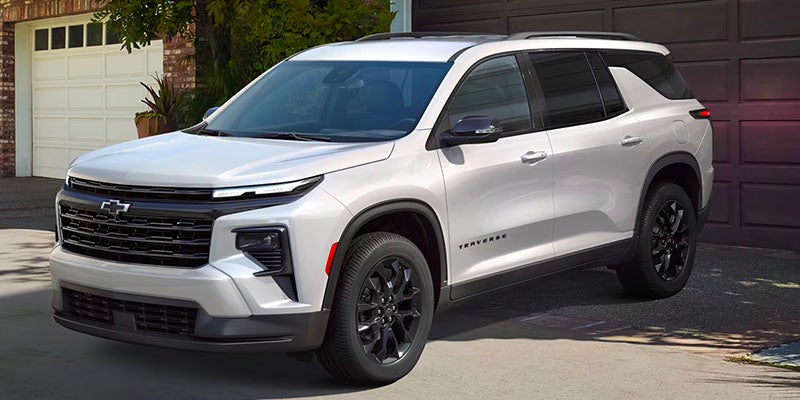
If you're a fan of spaciousness, safety, and innovative technology, then the 2025 Chevy Traverse will probably appeal to you. Everything about it is large, from its cabin to its infotainment display. It's great infotainment technology makes it easy to stay organized and in touch with people while you travel, and the vehicle performs well both on and off the road. Introducing the 2025 Chevy Traverse: Space for Every Journey Plenty of Space for Legs, Heads, and Cargo You never need to worry that you'll be cramped in the Chevy Traverse. Every row can accommodate adults without discomfort. The third row is the smallest, with 32.13 inches of legroom, yet it remains spacious for all ages. The other two rows have over 40 inches of legroom. The front row has over 40 inches of headroom, while the other two have almost 40 inches of it. Behind the third row, you've got 22.9 cubic feet to put your cargo into. You can expand this to 56.6 or 97.6 cubic feet in size by folding down the third or the second and third rows respectively. Plenty of Incredible Infotainment Technology Each Chevy Traverse features a 17.7-inch center touchscreen. Its size makes it easy to see, which is particularly helpful when using its navigation ability, and there are lots more features than that. You can integrate your smartphone with the system and enjoy hands-free calling and texting, access to your calendar, and access to various entertainment apps. If you want to stay entertained without connecting the phone to the car, then use the trial of SiriusXM that comes with the vehicle. This lets you listen to all kinds of media, including sports, talk, and music across dozens of curated ad-free channels. Connecting to the built-in Wi-Fi hotspot lets your passengers access any form of entertainment they like. A wireless charging pad and four USB inputs around the cabin let you all keep your phones charged. Plenty of Warning in Dangerous Situations If you've ever wished you had a second pair of eyes to help you look out for hazards, then wish no more—the Chevy Traverse has several driver assistance systems including Blind Zone Steering Assist, Rear Park Assist, Forward Collision Alert, and Lane Keeping Assist with Lane Departure Warning that do that. Whether you're in danger of crashing into the car in front of you or getting too close to the next lane, your car will warn you about the problem. Visit Park Hills Chevrolet in Park Hills, MO, to get into the driver's seat of the Traverse. Call us at 573-433-3612.